


Start here
Make your first story
From an idea to a finished book, in the order you will see it.
Aktualisiert am 04.11.20261 Min. Lesezeit
Open Create a story from the menu. Type your idea in the big box, or tap one of the ideas under it. A few words are enough.
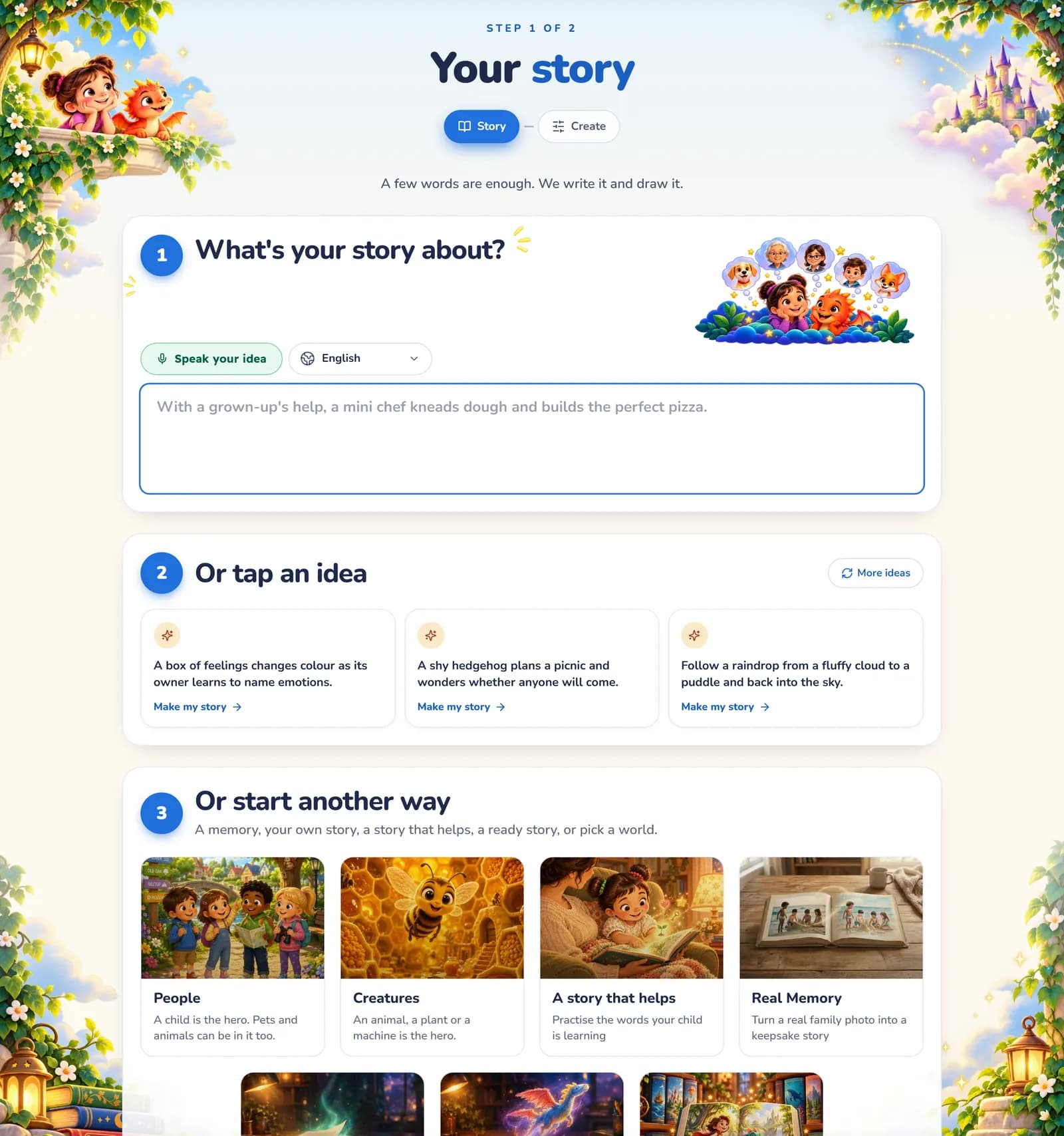
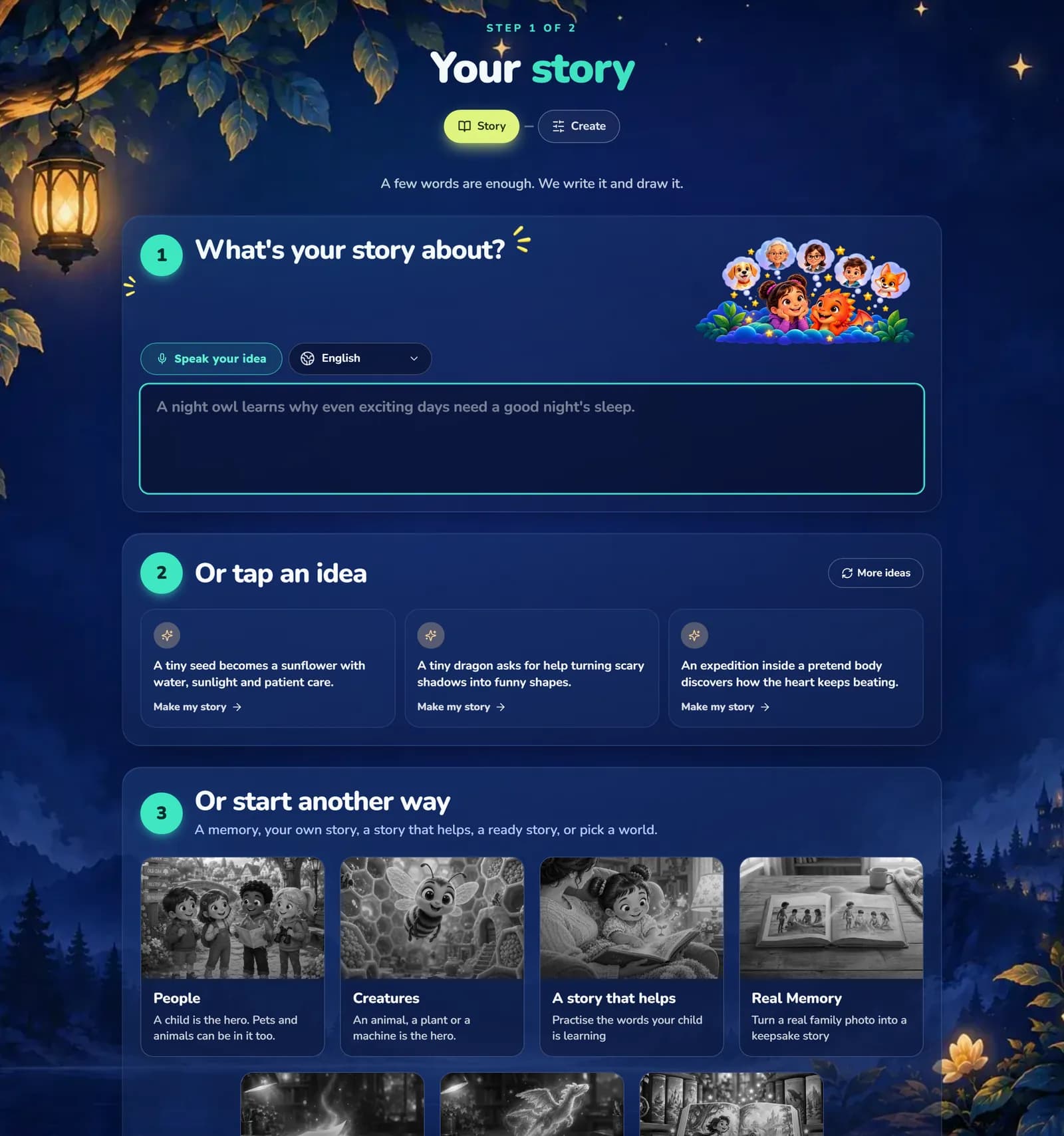
- Your idea — write what the story is about, or tap an idea.
- Ready to create — one screen with everything filled in: reading level and length, story language, art style, a character and the title. Change only what you want.
- Press the Create button. It shows the price, and nothing is charged before you press it.
- Lolo writes the words first. Read them, change anything you like, then choose Looks good — illustrate it.
Want more choices? More options opens the full wizard, which has five steps: Your Story, Story Setup, Pick An Art Style, Who Is This Story About? and Name Your Story. Under the idea box you can also start another way: a memory, your own story, a story that helps, a ready story, or a world.
Hat das geholfen?
Als Nächstes lesen
 Als Nächstes lesen
- A tour of the story wizardWhat each step controls, so you know which one to go back to when something is not quite right.
- Ways to start a storyThe idea box, People, Creatures, Real Memory, Your Own Story and more: what each one is for.
- Characters, photos and Face MatchHow to put your child in the story, keep them looking like themselves on every page, and add siblings or a pet.